Clone a website for free.
Paste a public webpage URL. Download its Tailwind CSS v4 project and DESIGN.md, with a static preview to inspect the result.
Tailwind CSS v4 projectDESIGN.mdResponsive layoutsSafe static preview
A screenshot shows one frame. The webpage contains the implementation details.
AI has to guess the type, spacing, and responsive layout from a screenshot. CloneAny reads the page structure, CSS, and assets, then rebuilds them as working code.
Code-driven rebuild
Reads the page structure and CSS directly, then builds a clean Tailwind CSS v4 project.
Complete page assets
Keeps layouts, variables, and assets in a safe static preview.
Responsive layouts
Light and dark themes
Change the device width or theme and both previews show the same state. Webpages scroll together, while each HTML pane scrolls on its own.
WEBSITE STYLE → DESIGN.MD
Save the website style in Google’s DESIGN.md format.
CloneAny captures the colors, fonts, spacing, shapes, and components from the page. The file follows the open DESIGN.md specification from Google Labs Code, combining exact style values with guidance a coding agent can read.
Atlas Dispatch colors
Success#16885c
Success Dark#55c995
Action Background#f1f2f4
Action Background Dark#242831
Typography
- Body
- Inter, ui-sans-serif, system-ui, -apple-system, BlinkMacSystemFont, "Segoe UI", sans-serif · 14px
- Display
- Inter, ui-sans-serif, system-ui, -apple-system, BlinkMacSystemFont, "Segoe UI", sans-serif · 19px
- H2
- Inter, ui-sans-serif, system-ui, -apple-system, BlinkMacSystemFont, "Segoe UI", sans-serif · 15px
Spacing
- 4px
- 8px
- 12px
- 16px
Corner radius
- 8px
- 9px
- 10px
- 11px
- 12px
- 14px
Components
- Tab List
padding: 4px
- Header
backgroundColor: rgba(255, 255, 255, 0.94)
- Header Dark Mode
backgroundColor: rgba(25, 28, 34, 0.94)
- Image
backgroundColor: rgb(251, 252, 254) · height: 230px
Continue in your coding agent
Both outputs come from the same capture, so the page structure and style facts can move together into your coding agent.
 Claude Code
 Codex
Codex Cursor
 Kiro
Kiro Gemini CLI
 GitHub Copilot
More
Paste the webpage URL
Choose a public page that opens without signing in.
Get the code and website style
Download the cloned code and the website style extracted from the same page.
Hand off to a coding agent
Continue with content, data, and interactions in the coding agent you already use.
Handoff to coding agentproject/
tailwind-project/
HTML, Tailwind CSS, local assets, and static build
DESIGN.md
Page colors, typography, spacing, and component rules
› Keep the current style from DESIGN.md, connect real data, and finish the page interactions.
Gallery
See the clone before you start.
Open the original webpage and its clone to inspect the layout and visual details CloneAny preserved.
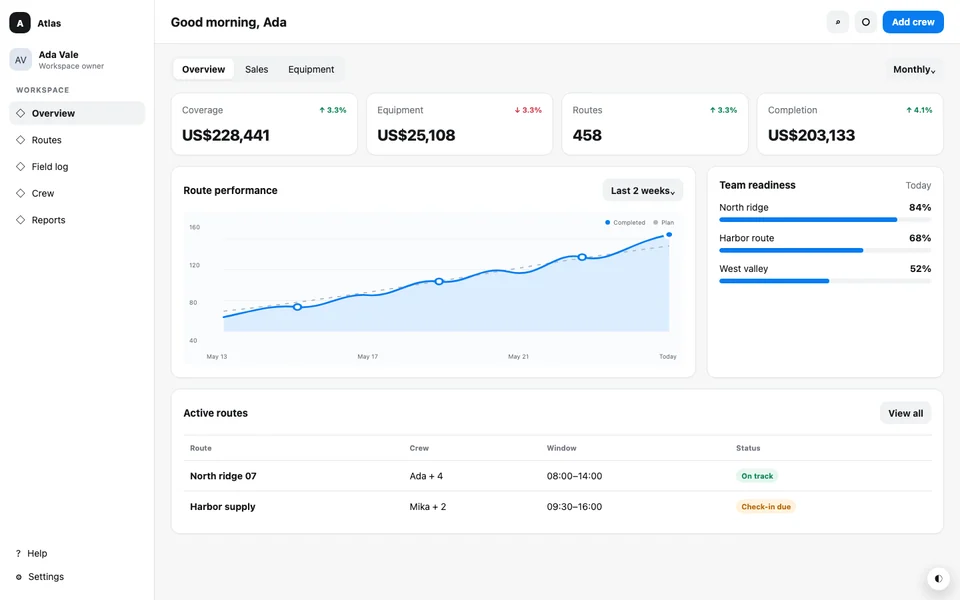
Atlas Dispatch
DESIGN.md · Tailwind CSS v4
A dense dispatch dashboard with status cards, an operational table, restrained color roles, and compact responsive navigation.
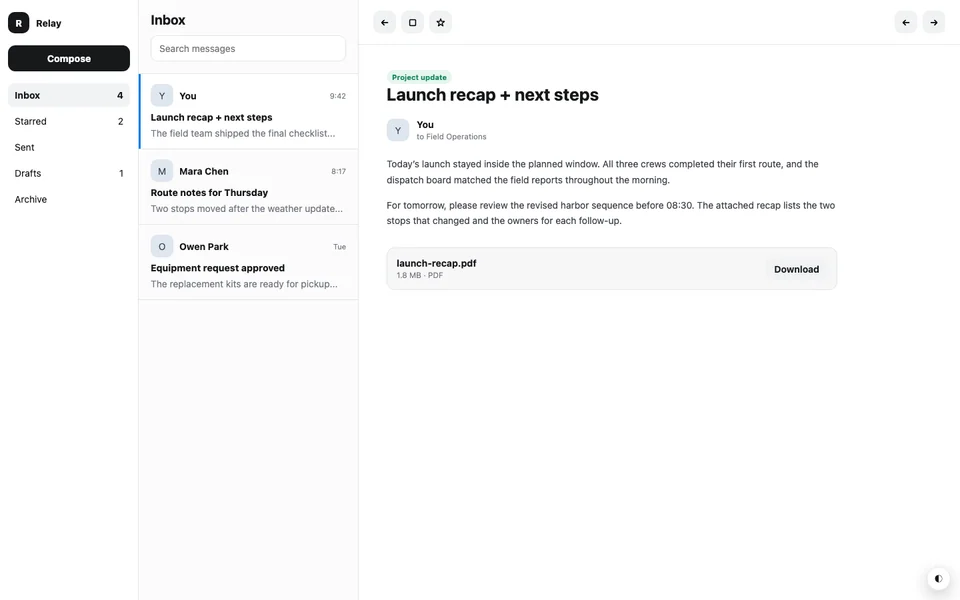
Relay Mailroom
DESIGN.md · Tailwind CSS v4
A three-pane email workspace that balances folder navigation, message scanning, and a focused reading surface.
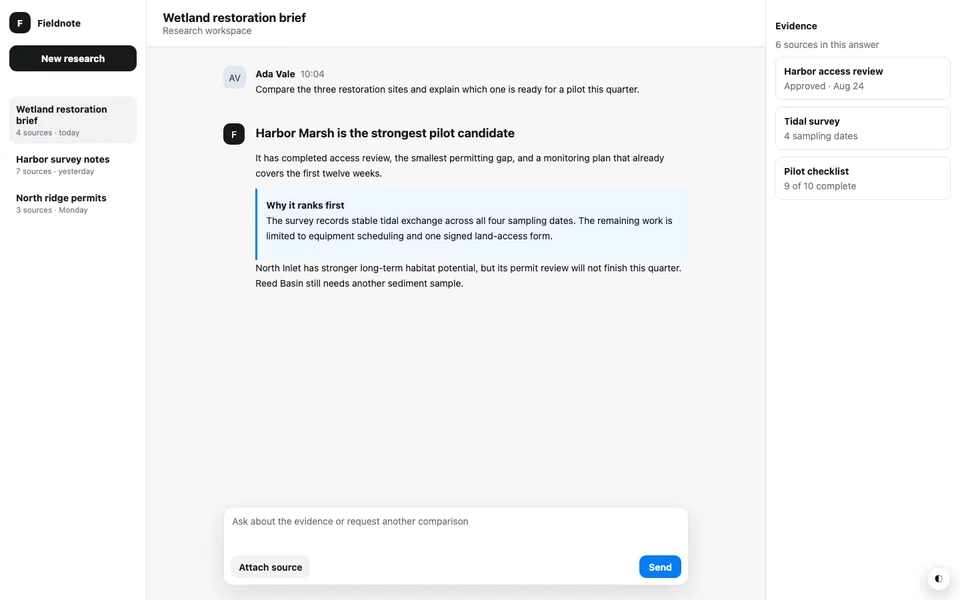
Fieldnote Assistant
DESIGN.md · Tailwind CSS v4
A long-form assistant workspace with conversation history, evidence cards, and a composer that stays available as the transcript grows.
Start with the real webpage
Questions before you clone
Straight answers about the output and its limits.
Start with the webpage, not a screenshot.
Paste a public URL and give your AI coding tool working code plus the page's DESIGN.md.